
When do custom slides unlock?

Via the normal research tree — see research guide.

Waterpark Simulator custom slides guide: build loops, spirals, freeform routes, test before opening, and tie slide fun to star rating without breaking safety.
Stage 3 adds custom slide builder footage.
~5 min read
Sponsored
Waterpark Simulator custom slides are the 1.0 headline feature: freeform track design with loops, spirals, height drops, and runouts into pools — built in first person, then ridden with ragdoll physics. This guide covers unlock timing, editor basics, loop safety, mandatory test rides, and how slide fun feeds park rating. Pair with money guide and achievements for Slide Architect. Verified August 16, 2026 · Steam.
| Fact | Detail |
|---|---|
| Feature | Custom waterslides — loops, spirals, free design (1.0) |
| Unlock | Research tree — after core pool/slide infrastructure |
| Achievement | Slide Architect — create your first custom slide |
| Physics | Ragdoll speed — test before public opening |
| Rating | Slide fun contributes to park prestige stars |
Matched by build plan, shared topics, and guide progression — not random related links.
Custom slides sit on the normal research tree. You need baseline pool construction and enough research points from daily chores — manual work converts XP faster early.
Aztec, Sea, and Pirate decor from the Museum do not replace the custom slide unlock.
Catalog slides still count toward guest fun — build custom on a second pool, do not delete your only working slide.
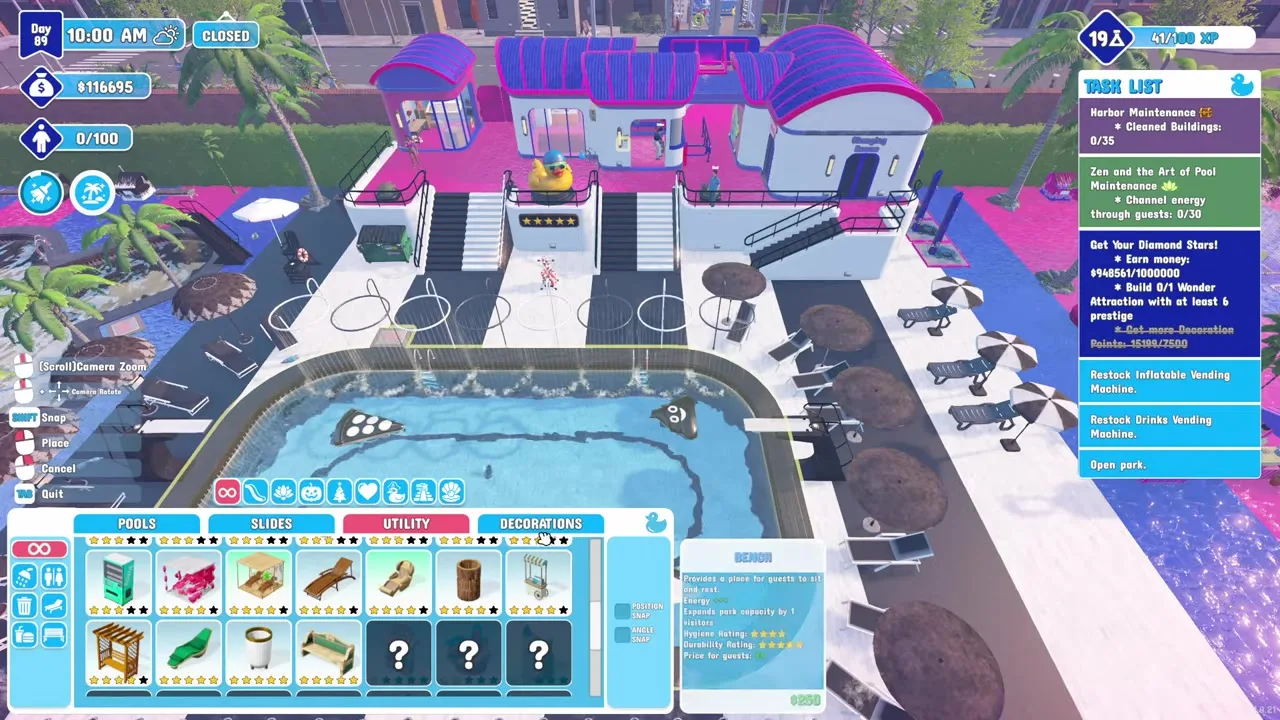
The editor is piece-based: place a start platform, add straight, curve, loop, and spiral modules, adjust height with supports, and terminate in a splash pool or runout channel. The UI shows approximate run length — community first builds often land near thirty-five metres before players attempt multi-loop designs.
Snap and support tools matter on the beach map where cliff tiles exaggerate drop height. Each support pillar costs build budget from your money guide float — sketch the landing first, then raise tower height in half-metre steps so you do not overshoot pool alignment.
| Module | Use | Caution |
|---|---|---|
| Straight | Speed build / connector | Boring alone for rating — mix lengths |
| Curve | Turn into new pool wing | Bank angle affects speed |
| Loop | High fun, high risk | Needs speed budget and landing sanity |
| Spiral | Vertical drop in tight footprint | Watch pool entry angle |
| Start tower | Potential energy | +1 m can fix or break a loop |
Final segment must intersect water volume, not deck. Walk the exit in first person before opening.
Waterpark simulator custom slides searches spike around loops and spirals because they look spectacular — physics does not forgive guesswork.
Build loop after a straight acceleration run. Test with your character — ragdoll exits mean more height or wider radius.
Ideal on beach map cliffs. Keep rotation direction consistent.
Opening with an untested custom slide hemorrhages money and stars. Injured guests demand injector saves (Lifesaver Protocol); broken attractions stop slide-use progression for WHAAA!! and star tasks that require working flumes.
Run at least three consecutive clean rides yourself — no hard ragdoll impacts, no dry exits — before you flip the park open. If a segment fails mid-test, roll back one module rather than rebuilding the entire tower; most misalignment issues are the last two pieces, not the whole loop.
Close or quiet-open, build, ride completely, watch injury log, re-open only with zero hard collisions.
Builder places segments while a second player rides beta versions in multiplayer.
Park prestige blends cleanliness, slide fun, food quality, and amenities. A working custom loop raises fun if guests actually ride it — disconnected art slides do not.
Star checklists sometimes mandate specific themed flumes from research while custom slides remain optional flair. Build customs after you satisfy the named prestige attraction so you are not financing two megaprojects during the same three-star week.
| Rating input | Custom slide impact | Tip |
|---|---|---|
| Fun | High when queues move | Connect path from gate to slide entrance |
| Safety | Injuries punish harder than slow queues | Lifeguard before loop opens |
| Cleanliness | Splash zones increase wet floors | Mop loop exit — cleaning guide |
Common waterpark simulator custom slides failures are fixable before they tank your save:
Final segment ends on deck or shallow shelf — rebuild the last two pieces until splash volume registers.
Riders stall upside down — add tower height or widen loop radius; test solo before selling slide-pass tickets.
Guests spawn at gate but pathing cannot find stairs — add signs, fence gaps, and a continuous walkway from queue to tower.
Selling full access when only pool-only routes exist — adjust ticket products in the booth before peak hour.
Cracked tubes mid-day stop the WHAAA!! counter — maintenance worker or manual hammer before opening to guests.
One epic loop with ten-minute waits lowers fun rating — add a second smaller slide or split ticket products so pool guests are not blocked.
In multiplayer up to four players share one park wallet but split physical tasks. Custom slide projects benefit from a dedicated builder in the editor while another restocks food and a third mops splash zones that new landings create.
Agree whether slide research spend needs host approval — nothing stalls co-op faster than one player unlocking Custom Slides while another needed Floor Tool for an expansion prerequisite. Test rides should happen before the host opens the gate; injuries during co-op still hit shared satisfaction and refund totals.
Via the normal research tree — see research guide.
Create, build, and ride your first custom slide to confirm the unlock.
Yes — coastal cliffs give height. Beach is a separate save from the main map.
Matched by build plan, shared topics, and guide progression — not random related links.